
Light the scene, then bake
Add a warm lamp at the top level of world.yaml:
lighting:
  version: 1
  ambient: {x: 0.05, y: 0.05, z: 0.06}
  lights:
    - id: room-lamp
      position: {x: 4, y: 4, z: 2.5}
      color: {x: 1, y: 0.75, z: 0.45}
      radius: 6
Start with one lamp and low ambient light. Keep its radius near the space it needs to illuminate. Add lights where they help players read an entrance, obstacle, or goal.
Bake steady lights so they do not need live lighting each frame. Add this to level.toml:
[lightmap]
enabled = true
offline = true
density = 4
page_size = 512
bake_samples = 16
bake_bounces = 1
For this room, run karty render bake, then karty dev. Rebake after changing geometry, textures, UVs, or baked lights. Restart an existing preview after baking. Begin at low density; increase it only when shadow detail needs it.
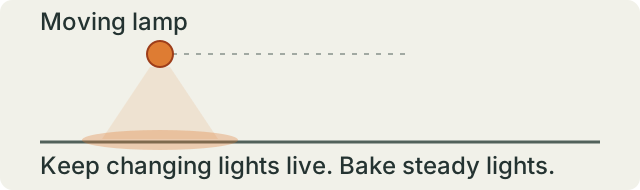
Eligible steady sources bake automatically. Moving lights and lights linked to a changing emission pulse stay live. Keep the live set small; the current live authored point-light table holds at most 50. A glowing material does not light its surroundings by itself; add a light for that effect.
Larger levels can opt into chunks. For chunked levels, karty build produces missing bakes; karty dev previews with a matching bake or live lighting. See Hangar for a larger level with baked lighting after the single-room version works.