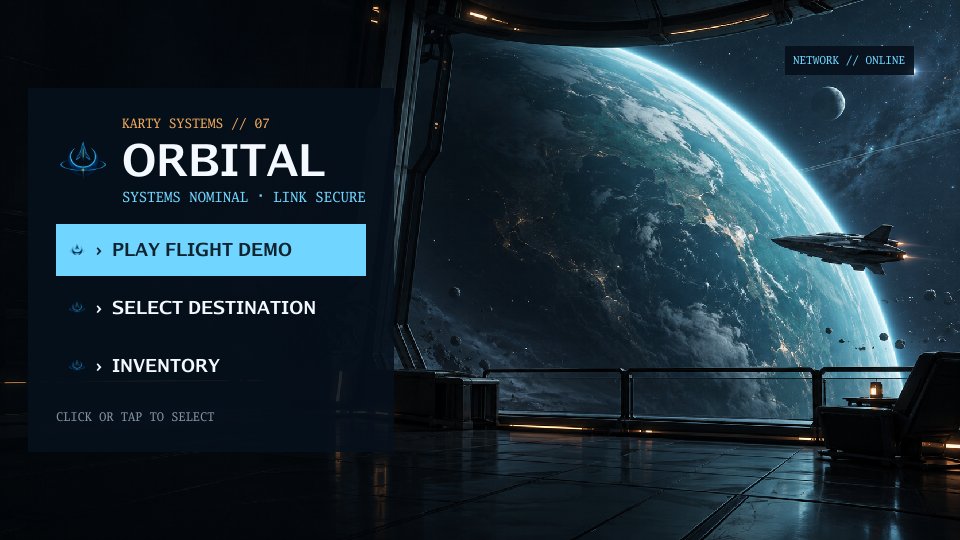
Make menus and a pause screen
Use KartUI for menus, HUDs, and overlays in 2D, first-person, or isometric games.
Keep screen state in Go and screen structure in .kui files. The CLI discovers components under ui/, shared layouts under ui/layouts/, and a theme at ui/theme.toml.
Save this shared frame as ui/layouts/screen-frame.kui:
<template>
  <panel modal="true" class="screen">
    <panel class="card"><slot/></panel>
  </panel>
</template>

<style>
.screen
  height: 100%
  flex-grow: 1
  align: center
  justify: center
  background: theme.colors.surface
.card
  padding: 24
  gap: 12
  max-width: 420
  flex-grow: 1
</style>
Save the menu as ui/views/menu.kui. The filename gives it the generated name ui.Menu:
<template>
  <ScreenFrame>
    <label>My game</label>
    <button onClick={ onPlay }>Play</button>
  </ScreenFrame>
</template>

<script setup lang="go">
func setup(onPlay func()) {}
</script>
Save a second screen as ui/views/pause.kui:
<template>
  <ScreenFrame>
    <label>Paused</label>
    <button onClick={ onResume }>Resume</button>
  </ScreenFrame>
</template>

<script setup lang="go">
func setup(onResume func()) {}
</script>
Add a screen *engine.UI field and the import example.com/my-game/.karty/ui. Open one screen at a time:
func (game *Game) showMenu() {
    if game.screen != nil { game.screen.Close() }
    game.screen = ui.Menu(func() {
        game.screen.Close()
        game.screen = nil
        // Start or resume your game here.
    })
}
Call game.showMenu() from OnStart. Open ui.Pause the same way from your existing input hook, for example when OnKeyDown receives engine.KeyEscape. Set a playing flag to false when pausing and skip game movement in OnUpdate until Resume sets it true. A modal panel captures input; your Go code decides whether the game simulation pauses.
Layouts share structure and styles. Component callbacks change game state. Packages can also export .kui components/layouts, images, fonts and theme defaults through karty-package.toml. Import a folder or .kpkg with karty package import; compose its exported components with the same typed props and callbacks. The consuming game retains its own root, state and theme overrides. Use prefixed component/props names to avoid shared Go-scope collisions. Call Invalidate() after changing data used by dynamic UI bindings. Test your layout at a narrow viewport before adding more screens. Orbital flight deck shows menus, loading, inventory, gameplay, and pause screens.