
Make a first-person game
Create a camera and attach the controllers-3d package's first-person component. It supplies walking, running, mouse look, two visible touch sticks, a physics body, gravity and collision. Keep game hooks for your own interactions and objectives.
karty new --yes --template fps my-game
cd my-game
karty dev
The starter references an independently released FPS Kit archive by HTTPS URL and SHA-256 in karty.toml. Its first build downloads and verifies the package under .karty/packages/fps-kit; later builds can reuse the verified cache offline. A four-metre corridor, two metres wide, connects two eight-metre rooms. They use the kit’s 256px grid, brick and concrete materials. Three crates have static collision; two are spawned with dynamic box bodies so you can push them. Keep the pinned package declaration in Git. Material normal/height/AO maps are generated during the ordinary build. Room numbers, a floor arrow and a tagged goal star demonstrate the package's transparent decals for temporary goals and points of interest. The starter also includes controllers-3d for player movement and mobile controls. The CLI reads [level].name from levels/*/level.toml to generate typed references such as assets.LevelRoom. The callback passed to LoadLevel receives that request's ready result; loading errors still arrive through OnLevelFailed.
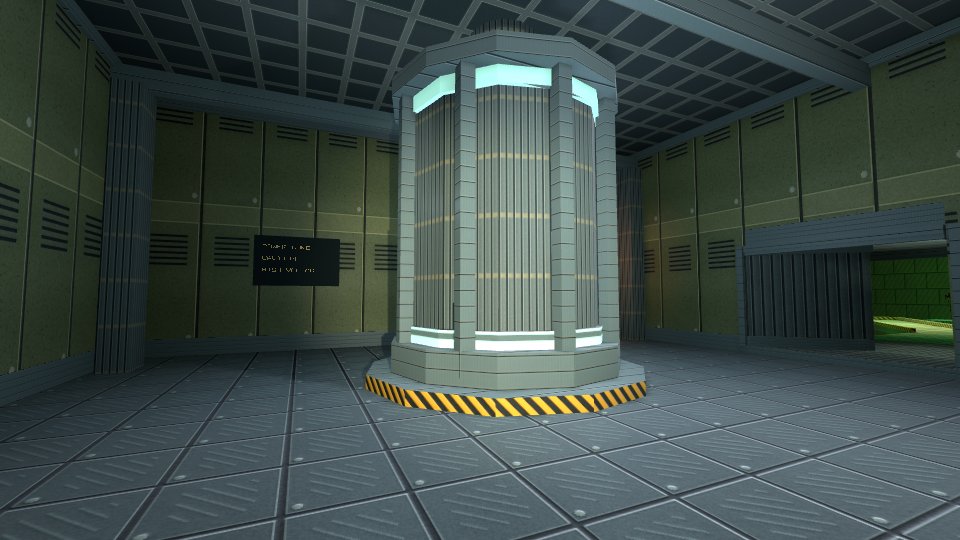
Make the camera playable
The complete src/main.go below attaches the controller after the room is ready. Change its module import if your project has a different name. Keep the viewport and project resolution at 960 by 540.
package main

import (
	"example.com/my-game/.karty/assets"
	"example.com/my-game/.karty/engine"
	fpscontroller "example.com/my-game/.karty/processed/code/controllers-3d.sdk/controller"
)

type Game struct {
	engine.Game
	label *engine.Text2D
}

//go:wasmexport karty_register
func main() {
	game := &Game{}
	engine.Run(engine.Hooks{
		OnStart: game.start, OnLevelFailed: game.failed,
	})
}

func (game *Game) start() {
	game.label = game.NewText2D("Loading room...", engine.NewVec2(24, 24))
	game.LoadLevel(assets.LevelRoom, game.ready)
}

// The mounted room supplies the world that will resolve player collisions.
func (game *Game) ready(event engine.LevelReady) {
	camera := game.NewCamera3D(event.Handle, engine.Camera3DSettings{
		Projection:  engine.CameraProjectionPerspective,
		Output:      engine.CameraOutputFull,
		Position:    engine.NewVec3(2, 2, 1.7),
		VerticalFOV: 1.05, NearClip: 0.05, FarClip: 100, OrthoHeight: 10,
		ViewportWidth: 960, ViewportHeight: 540,
	})
	camera.SetLayer(-1)
	options := fpscontroller.DefaultFirstPersonOptions()
	options.Speed = 2.4 // metres per second
	if _, err := fpscontroller.AttachFirstPerson(game.Game, camera, options); err != nil {
		game.label.SetText("Could not create player: " + err.Error())
		return
	}
	game.label.SetText("WASD / arrows: walk | Shift: run | click: mouse look | touch: move and look")
}

func (game *Game) failed(event engine.LevelFailed) {
	game.label.SetText(event.Diagnostic)
}
WASD/arrows walk, Shift runs, and Q/E turn. Click to capture mouse look; Escape releases it. Touch the lower-left side to walk and lower-right to look. The package draws the sticks on first touch and clears held controls on focus loss or modal input capture. It moves the player before your OnUpdate hook, using the last host-accepted pose and preserving falling momentum.
The game owns the camera; destroying it also closes its controller. Level release and cartridge shutdown clean up the controller's body and touch display. Keep the returned controller when you need SetEnabled, Teleport or Close; only one local first-person controller can be attached at a time.
Start with the default options, then tune speed, sensitivity or Touch appearance. Custom BeforeMove and Move callbacks can add authored traversal or swimming. Hangar uses the shared capsule motor for stairs; Terrain adds swimming without another input adapter. The installed .karty/packages/controllers-3d/ README and component documentation contain the complete contract.
Extend the game with textures, prefabs, lighting and interactions, then share a build.
The interaction guide uses E by default. Use F for interactions here, or set options.TurnKeys = false before wiring the interaction hook.